Gerald Gmainer10 min read
Offline-first with Flutter and Supabase: an outbox, not spinners
How MoneyKoi works offline-first with Flutter and Supabase: SQLite as the source of truth, an outbox with retries and a single delta sync back from the server.
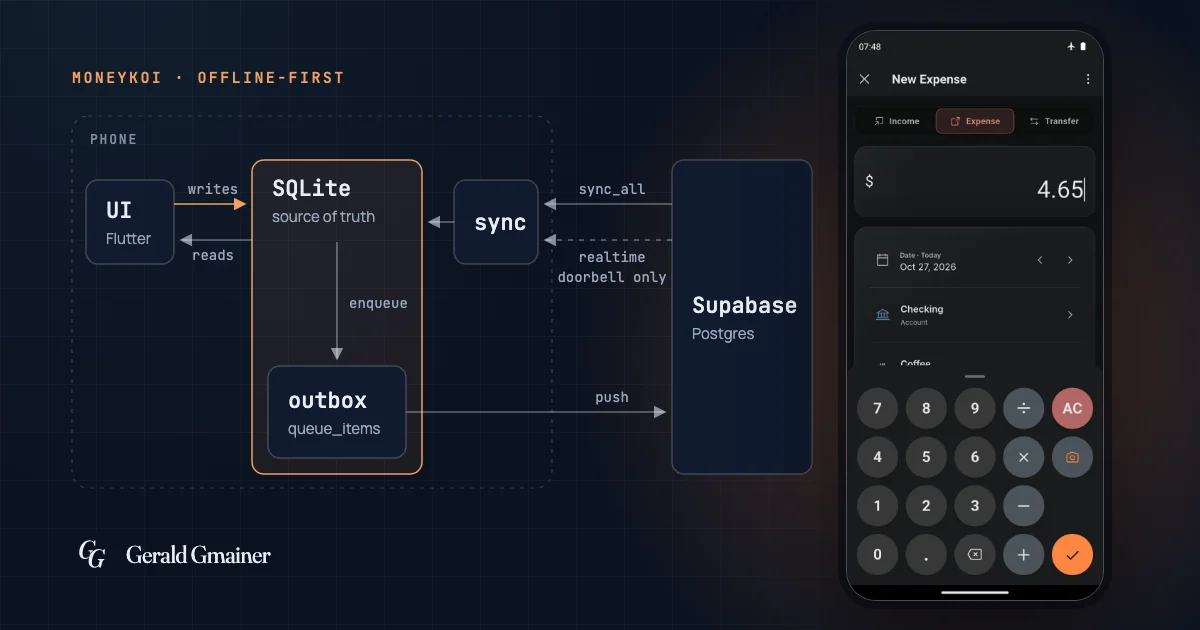
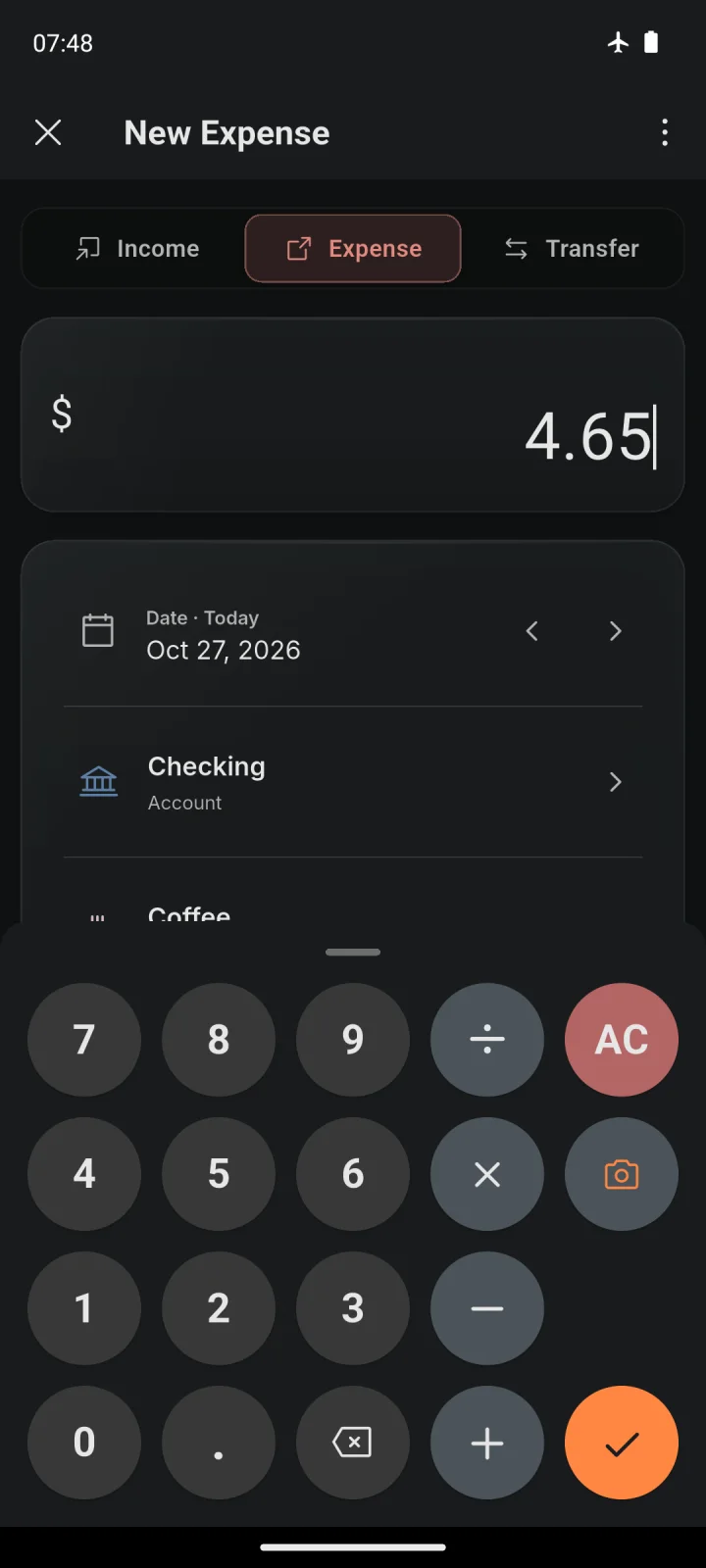
A budget book gets opened at the supermarket till, in a basement or abroad – exactly where the signal is bad. So I built the Flutter app for MoneyKoi offline-first: the UI reads and writes only to a local SQLite database, an outbox sends changes to Supabase in the background, and a single delta sync fetches what other devices changed. Adding a booking never shows a spinner, and booking, scanning and reports all work in airplane mode.
Where the requirement comes from
MoneyKoi is my own product, a budget book for Android and the web (see the project). On the free plan there is no server at all: the whole book lives on the phone. With the Cloud plan a household shares one book across phones, tablets and the browser, in real time.
That gave me three rules:
- A booking is done as soon as it is stored locally, not when the server confirms it.
- Reads never go over the network.
- Data from the server reaches the app by exactly one path.
The third rule comes back several times below.
SQLite is the source of truth
Every synced table exists twice: in PostgreSQL on Supabase and as a mirror in SQLite on the device. The UI reads from a small in-memory cache and, on a miss, from SQLite. A normal read never makes a network request.
Making that work without a server takes two decisions:
- The client creates the IDs. Every row gets a UUID on the device when it is created. It stays the same on every device, and a booking can point to a category the server has never seen.
- The server owns the timestamps. A Postgres trigger sets
created_atandupdated_at. The app never sends them and takes them from the server's response.
Every local row also carries a sync status that never leaves the device: createdLocally, updatedLocally or pendingDelete until the push succeeds, then synced. After three failed attempts it becomes upsertFailed or deleteFailed, and the row keeps its data. A row that was deleted but not yet pushed is filtered out of every query at once. In the app it is gone, even if the server doesn't know yet.
The outbox: a write is done immediately
A save() does two things: it writes the row to SQLite and adds an entry to the outbox, a queue_items table in the same database. The entry holds a frozen snapshot of the row at the time of the write, so the outbox survives an app restart and a flat battery.
Entries are processed strictly one at a time, under three rules:
- At most one entry per record. Editing a booking five times in a row does not create five requests. The new entry replaces the old one, and only the latest state is sent.
- Deletes go first. A delete goes to the front of the queue, upserts to the back. A running sequence number keeps the order across restarts.
- Retry, then pause. On a network error the outbox tries three times, two seconds apart, then pauses the entry until the connection is back. A real error, such as an RLS rejection, also gets three attempts. After that the entry stays paused and gets a fresh chance on the next app start.
Coalescing looks roughly like this:
Future<void> coalesceAndEnqueue(QueueItem item) async {
  // The head may be in flight right now – never replace it.
  final protectHead = isProcessing && queue.isNotEmpty && queue.first.entityId == item.entityId;

  final kept = <QueueItem>[];
  for (final (i, queued) in queue.indexed) {
    if ((protectHead && i == 0) || queued.entityId != item.entityId) {
      kept.add(queued);
    }
  }

  if (item.isDelete) {
    kept.insert(protectHead ? 1 : 0, item);
  } else {
    kept.add(item);
  }

  // Commit in memory first, with no await in between.
  queue
    ..clear()
    ..addAll(kept);

  // INSERT OR REPLACE keyed on entity_id: no delete-then-insert window.
  await store.upsert(item);
}
Two details in there come from bugs in earlier versions.
The entry currently being sent must not be replaced. If a newer version arrives meanwhile, the newer one wins once the send finishes, and the old head is dropped.
The new queue is built and committed with no await in between. An earlier version took a snapshot, waited for the database, then rebuilt the queue from the stale snapshot. If the head had finished in that time, it was back in the list and got sent twice. The same goes for storage: instead of a delete followed by an insert there is a single INSERT OR REPLACE. If the app is killed between two steps, the entry would otherwise be lost.
A single delta sync from Supabase
In the other direction there is exactly one path: the Postgres function sync_all, called as an RPC. The app sends one cursor per data type, and the server returns, per type, the changed rows (upserts), the deleted IDs (deletes) and a new cursor.
Before every pull the app waits until the outbox of the active book is drained, for at most ten seconds. Otherwise the delta would be older than the device's own unsent changes.
The cursor needs the ID
The cursor started out as a timestamp: "give me everything with updated_at after X". That had two problems.
First, a large book arrived in one statement on the first sync. With years of history, that ran into the authenticated role's statement timeout of 8 seconds. Today sync_all returns pages of at most 1,000 rows per type.
Second, every row written in one transaction has the same timestamp, because NOW() returns the start of the transaction. Restoring a backup writes a whole book in one transaction. With a timestamp-only cursor, the next page either skips the rest of that group or never gets past it. In a test with a restored group of 20,000 rows, seven pages delivered 11,600 of 30,000 bookings.
The fix is a keyset cursor on (updated_at, id):
CREATE INDEX IF NOT EXISTS idx_booking_sync_walk
  ON public.booking (tenant_id, updated_at, id);

SELECT *
FROM public.booking
WHERE tenant_id = p_tenant_id
  AND (updated_at, id) > (p_cursor, p_after_id)
ORDER BY updated_at, id
LIMIT p_limit;
The row comparison (a, b) > (x, y) is lexicographic and runs on the index, so each page reads only the rows it returns. While a walk is unfinished the app stores both halves of the cursor. Once it finishes, a plain timestamp is left, and an everyday sync is a single call again. A cursor without an ID is read as (cursor, ffffffff-…), which is the old updated_at > cursor. Older app versions send no limit and still get the whole delta in one piece.
Don't download your own changes
Whatever the app pushed would come back on the next pull. So it sends the IDs of rows it pushed since the last cursor (excludeIds). The server uses them to filter upserts only, never deletes. An earlier version filtered both. If this device had just edited a row and another device then deleted it, the delete was lost: the cursor moved past it, and the row stayed on the phone for good.
A pull never overwrites pending changes
When it applies a delta, the app skips every row the outbox still owns locally (anything but synced) and every row whose local updated_at is newer than the incoming one. Until September 2026 the pull replaced rows blindly. An unsent change was then gone, along with any sign that it had existed.
Realtime is only a doorbell
Supabase Realtime sends an event for every change in Postgres. The obvious move is to write the payload straight into SQLite. I don't. In MoneyKoi a realtime event only means "something changed", and the app runs the same delta sync as always.
That leaves exactly one code path writing server data into SQLite, with the same rules for conflicts, deletes and cursors. It still needs a few details:
- Debounce. Events from all tables share one 250 ms debounce with a maximum wait of 2 s. A booking with its tags is one pull, not two, and an import whose bookings arrive in quick succession does not hold back other pulls.
- Ignore echoes. Events for a row the device just pushed itself are ignored for 4 s.
- Every join pulls. Realtime replays nothing that happened while the connection was down, so every join and rejoin of the channel starts a pull. In the background the app holds no socket at all; coming back to the foreground triggers a pull anyway.
Conflicts and deletes
MoneyKoi resolves conflicts last-writer-wins on updated_at, which a trigger sets on every write. Fields are not merged. For a budget book that is enough for me, because two devices rarely change the same booking before one of them has synced.
Deletes are soft: a delete sets deleted_at, and the row travels to other devices as an ordinary change in the next delta. A trigger also writes every change to a sync_log table.
Only shopping list items are hard-deleted: they are added and ticked off all the time, and nobody restores one. After a delete only the sync_log row remains, as a tombstone. A BEFORE INSERT trigger refuses any ID that has a tombstone. That way the delete also wins against a stale offline edit from another phone that arrives hours later.
Limits
- Last-writer-wins loses concurrent edits. If two devices change the same booking before either has synced, only the one that reaches the server last survives.
- A cursor can skip a row that commits late.
updated_atis the start of the writing transaction, not its end. If one transaction is still open while a later-started one has committed and a pull runs, the later one moves the cursor past the earlier one. That needs two overlapping writers and a pull inside exactly that window, so it is rare. The clean fix is to keep the returned cursor a few seconds behindstatement_timestamp()on the server. That is still to do. - Echo suppression is by ID only. If another device deletes a row within 4 s of this device pushing it, the delete arrives with the next pull instead of live.
- It is a lot of code. Outbox, cursors, realtime handling and the app lifecycle form a module of their own, with their own tests. For an app that is only ever used online, it would be too much.
Takeaways
- The local database is the UI's only source. The network runs in the background.
- The client creates the IDs, the server sets the timestamps.
- An outbox needs persistence, one entry per record, and pausing instead of endless retries.
- Realtime is a trigger, not a data source. One path for server data is easier to reason about and to test than two.
- Paginate syncs on
(updated_at, id), never on the timestamp alone.
MoneyKoi is available as an Android app on Google Play. More information at moneykoi.com.
Flutter · Supabase · Offline-First